Mixed reality training apps for field teams
Mixed reality training apps for field teams
By Marco Lopes · November 11, 2025 · Design, 3D & XR
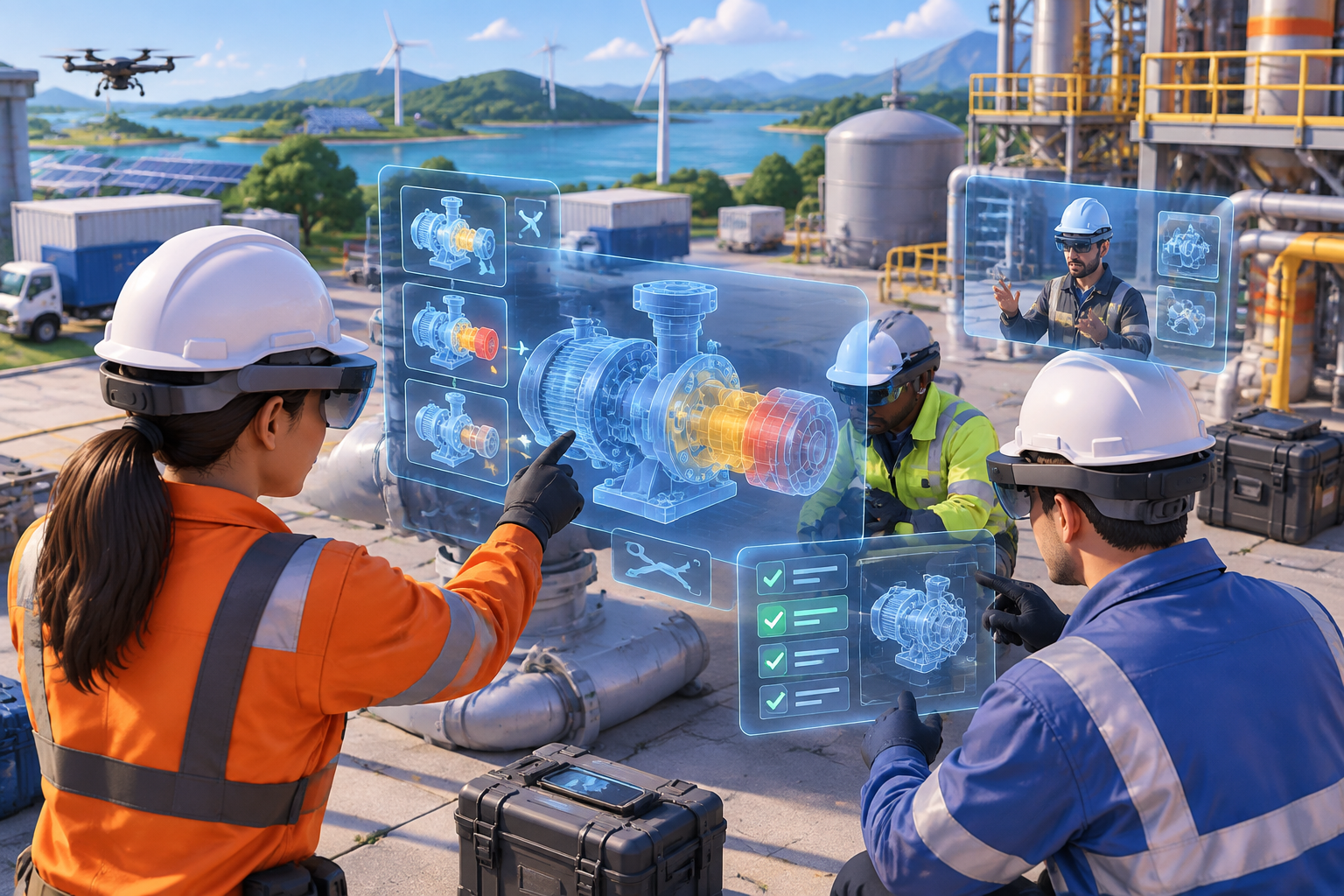
Field training rarely happens under perfect conditions. Equipment changes, experienced technicians are stretched thin, and a useful procedure may be buried in a document that is difficult to consult while wearing gloves. We see mixed reality as a way to bring instruction closer to the work: spatial explanations, guided practice and feedback presented alongside the equipment or a realistic substitute.
At Kordspace, we work across software, AI, Web3, hardware and design as a remote collaborative studio. For field training, we bring those disciplines together selectively. We do not need every technology in every project; we need a learning experience that survives real operating conditions.
Our starting question is not “Which headset should we buy?” It is “What should someone be able to do safely and confidently after this session?”
Start with a task, not a headset
We begin with a bounded procedure: identifying components, inspecting a connection, rehearsing a shutdown sequence or diagnosing a simulated fault. “Train maintenance staff” is too broad to guide either interaction design or evaluation.
For each task, we document prerequisites, decision points, common mistakes and the conditions that require stopping or escalating. We also separate knowledge gaps from problems that training cannot fix. An unclear label, inaccessible service panel or contradictory procedure may need an operational change rather than an immersive tutorial.
A useful first brief contains one task, one learner group, a defined environment and an observable outcome. That gives us a basis for deciding whether mixed reality adds value over video, diagrams or supervised practice.
Choose the right reality for the job
We use “mixed reality” here for experiences that connect digital instruction with a learner’s physical surroundings. That can involve camera-based overlays on a tablet or spatial content viewed through a headset. The appropriate format depends on the task.
For equipment recognition and short walkthroughs, we may prefer a phone or tablet because it is easier to distribute and support. For spatial rehearsal, we may choose a headset that lets learners inspect a model at scale. For hazardous scenarios, a fully virtual simulation may be more appropriate than placing guidance over live equipment.
We assess gloves, lighting, noise, protective equipment, battery life and cleaning requirements before selecting hardware. We also verify current device availability, enterprise management options and platform support rather than building around a product name alone.
Design the learning loop before the interface
We structure training around a simple loop: explain, demonstrate, practise and assess. Each stage has a different interface requirement.
During explanation, we can label parts and reveal hidden relationships through an exploded model. During demonstration, we can animate a sequence with clear pauses. During practice, we gradually remove prompts. During assessment, we ask learners to make decisions without the app revealing every answer.
We avoid turning every procedure into a chain of “Next” buttons. Advancing a screen does not prove that someone understood a hazard or selected the right tool.
We design mistakes deliberately, too. In a safe simulation, an incorrect choice should produce an understandable consequence and an opportunity to recover. For high-risk procedures, we preserve the role of a qualified instructor and the organisation’s formal sign-off process.
Treat spatial accuracy as a safety concern
A floating arrow can look authoritative even when it is slightly misplaced. We therefore distinguish between explanatory visuals and instructions that depend on precise alignment.
For equipment-specific overlays, we choose a registration method appropriate to the environment, such as a visual marker or supported object-tracking approach. We test registration after movement, interruptions and changes in lighting. We also make tracking status visible enough that learners understand when an overlay is no longer reliable.
If alignment becomes uncertain, we pause the relevant guidance and offer a clear recalibration path. We never treat a rendered overlay as proof that equipment is safe to operate.
Training content must reinforce approved procedures, including required isolation and verification steps. It must not encourage learners to substitute an app’s visual state for physical checks.
Make 3D assets useful before making them beautiful
Engineering files are valuable inputs, but they are rarely ready for real-time training. We prepare models by removing unnecessary internal detail, simplifying geometry, organising components and preserving the features learners actually need to recognise.
We establish units, scale, naming conventions and component identifiers early. Those identifiers let us connect a part in the scene to instructions, translations, assessment rules and content updates without relying on fragile object names.
Visual fidelity follows learning value. A connector’s orientation may matter more than a realistic surface finish. An intentionally simplified cutaway may teach a flow path better than an opaque photorealistic model.
We also confirm rights to use CAD files, labels and equipment imagery. Optimised training assets can still contain commercially sensitive design information.
Build interfaces for busy hands and limited attention
Field interfaces need more than larger buttons. We keep instructions short, place controls consistently and avoid forcing learners to read dense text while managing tools or maintaining balance.
Where hardware supports them reliably, we can combine gaze, hand input, controllers or voice. We do not assume any input method works everywhere. Voice may fail in noise, hand tracking may struggle with particular gloves, and handheld screens occupy a hand.
We provide alternatives: captions, replayable demonstrations, adjustable text and a non-spatial view of essential instructions. We also consider prescription eyewear, motion sensitivity and seated use where relevant.
Sessions should have clear stopping points. Learners need to pause, remove a headset and resume without losing context or being penalised for an interruption.
Design offline behaviour as a core feature
We assume connectivity may disappear at the least convenient moment. Essential lesson assets, approved procedures and the session state should remain available locally when the use case requires it.
Before a session, we check whether the device has the correct content package and enough storage. We version packages explicitly and define an offline validity policy. Some lessons may remain usable while disconnected; others may need to block assessment if their approval window has expired.
When connectivity returns, we synchronise recorded events using identifiers that prevent duplicate submissions. We show whether a result is saved locally, awaiting upload or confirmed by the server.
We also decide how shared devices handle cached personal data. Offline capability is not a reason to leave another learner’s records exposed.
Keep the cloud architecture understandable
We generally prefer Google Cloud, while supporting AWS or Azure when an organisation’s existing environment makes either a better fit.
A practical Google Cloud architecture can use Cloud Storage for versioned asset packages, Cloud Run for application APIs and Firestore or Cloud SQL for structured application data. We might add BigQuery when reporting requirements justify a separate analytics layer. We integrate with the organisation’s identity provider and apply access rules on the server, not just in the client interface.
Equivalent designs on AWS or Azure should preserve the same boundaries: identity, content delivery, session records and reporting.
We keep the device responsible for rendering and time-sensitive interaction. The cloud manages distribution, authorisation and synchronisation. That separation reduces dependence on network latency and makes offline behaviour easier to reason about.
Use AI where we can verify its contribution
AI can help us draft lesson variants, suggest explanations or support questions about approved documentation. We treat those outputs as material to review, not as automatically valid operating instructions.
For an in-app assistant, we favour answers grounded in a controlled document set, with visible references and an explicit “we cannot verify this” path. Retrieval improves access to source material, but it does not eliminate incorrect answers. Safety-critical instructions should remain in reviewed, versioned content rather than being improvised during a session.
We also separate assistance from assessment. An assistant that supplies the answer during a competency check can invalidate the exercise.
Before enabling camera, audio or external model processing, we examine consent, retention, data location and whether sensitive equipment information could leave the approved environment.
Make content ownership part of the product
Training software becomes difficult to maintain when every wording change requires a developer. We separate lesson content from application logic wherever practical, using structured steps, reusable interaction templates and stable asset references.
We define an editorial workflow with authors, technical reviewers and approvers. Each published lesson should identify the equipment variant and procedure revision it covers. We keep a record of which version a learner completed so that later updates do not silently rewrite the meaning of an earlier result.
For multilingual delivery, we budget for terminology review, layout changes, audio production and labels embedded in 3D scenes. Translation is not simply replacing interface strings.
We also plan rollback. If a published package contains a serious error, administrators need a controlled way to withdraw it and distribute a corrected version.
Pilot against learning outcomes, not novelty
We test the first release with representative learners, instructors and site conditions. A polished office demonstration cannot reveal every problem with glare, equipment variation or shared-device handover.
We establish a baseline using the existing training method, then evaluate whether the new experience improves the intended outcome. Depending on the task, we may examine correct sequencing, recognition of stop conditions, requests for assistance or retention after a suitable interval. We avoid treating speed alone as success when a deliberate check is part of safe performance.
We collect technical evidence separately: tracking interruptions, failed downloads, synchronisation errors and device support requests. That helps us distinguish a learning-design problem from a delivery problem.
We minimise personal data and explain what is recorded. Training analytics should support learning and governance, not become undisclosed worker surveillance.
A short pre-launch checklist
Before expanding beyond a pilot, we confirm that:
- We have a bounded learning objective and an approved source procedure.
- We have tested hardware, protective equipment compatibility and tracking in representative conditions.
- We have clear stop, recalibration and instructor-escalation paths.
- We have verified offline access, content expiry and result synchronisation.
- We have reviewed accessibility, privacy and shared-device data handling.
- We have named owners for content approval, device support and incident response.
- We have evidence of learning value, not just positive reactions to the technology.
Build a training system, not a one-off demo
The strongest mixed reality training apps connect instructional design, dependable software, appropriate hardware and maintainable content. We start small, validate the spatial interactions that matter and expand only when the learning value and operational support are clear.
If we can help turn a field procedure into a practical training experience, start a project with Kordspace. To explore how we bring design, 3D and XR together with software, AI and cloud engineering, read our related services pages.
Conversation (0)
No comments yet. Start the conversation.
Join the conversation
Create a free member account to comment.