Netflix: Our Metaflow Python library for faster data science is now open source
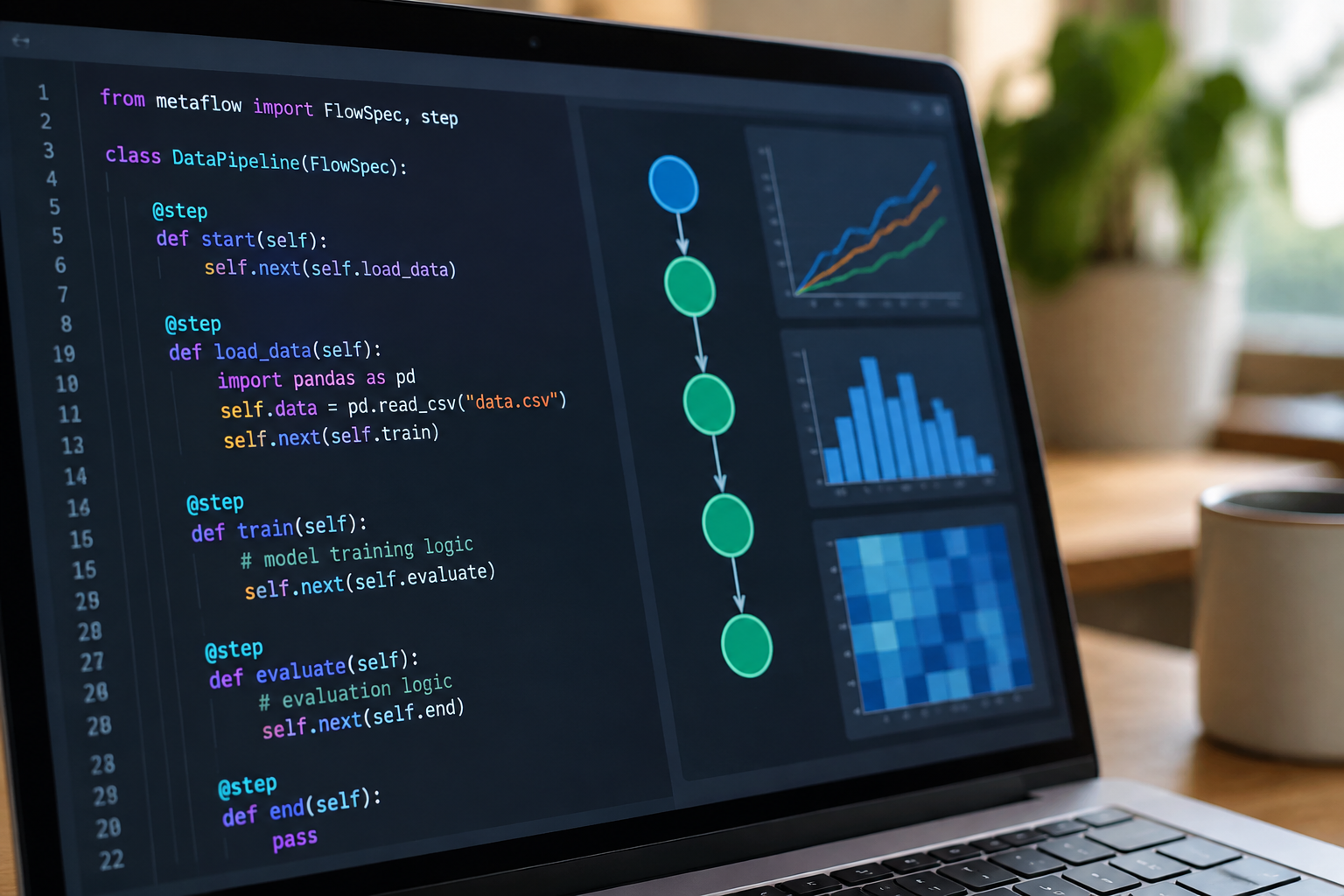
Netflix has open-sourced Metaflow, a Python library designed to make data-science projects easier to build, run, and move toward production. Its central idea is straightforward: data scientists should spend more time working on useful models and less time assembling the infrastructure around them.
That matters because a successful experiment is only one part of a working machine-learning system. Someone still has to track its inputs, preserve its results, reproduce its environment, recover from failures, and provide enough computing power when a laptop stops being sufficient.
This article reflects Metaflow as of 2020; tools, interfaces, and supported integrations may have changed since then.
Netflix describes its approach as “human-centered” machine-learning infrastructure. Rather than asking researchers to become infrastructure specialists, Metaflow gives ordinary Python code a workflow structure, then supplies capabilities for executing and inspecting that workflow.
For teams facing the gap between a promising notebook and a dependable data pipeline, the release is worth understanding, not just as another open-source announcement, but as a practical approach to delivering data-science work.
What Netflix has actually open-sourced
Metaflow is a framework for developing and executing data-science workflows. A workflow is a sequence of steps, such as loading data, preparing features, training a model, and evaluating the result.
Instead of hiding those steps inside a long script, Metaflow makes them explicit. You define a flow as a Python class, mark its steps with decorators, and declare how execution moves between them.
The framework manages the connections between those steps, including the persistence of intermediate results. It also records information about executions so you can inspect what happened afterward.
Metaflow is not a new model-training algorithm. It does not replace libraries such as scikit-learn, TensorFlow, or PyTorch, and it does not automatically turn a weak experiment into a reliable prediction service. It supplies the workflow infrastructure around your chosen tools.
In its early open-source form, Metaflow supports local development and has a strong integration story with AWS, including Amazon S3 for storage and AWS Batch for remote computation. You can start locally without first building a cloud environment.
Why this can make data science faster
The speed advantage is not primarily about making numerical operations run faster. It is about reducing the friction surrounding experimentation.
Experiments become explicit workflows
A notebook is excellent for exploration, but its execution history can be difficult to reconstruct. Cells may run out of order, variables may survive from earlier experiments, and intermediate results may live only in memory.
A Metaflow flow declares its execution structure. That makes it easier to see which data preparation step precedes training and which evaluation depends on a trained model.
This structure also creates a useful boundary between exploratory work and repeatable execution. You can continue exploring in notebooks while moving stable processing logic into a flow.
Intermediate results become artifacts
Metaflow can persist values assigned to a flow instance, such as self.training_data, self.model, or self.metrics, as artifacts associated with an execution.
This reduces the need to invent a naming scheme for every temporary file. It also gives later steps, and subsequent analysis, a way to retrieve results from a particular run.
Not every Python object is suitable for persistence. Database connections, open file handles, and similar process-local resources should generally be created inside the step that needs them rather than passed along as artifacts.
Failures do not always require starting over
A workflow might spend an hour preparing data and then fail because of a small bug in its final reporting step. Rerunning everything is wasteful.
Metaflow supports resuming failed executions, allowing successful upstream work to be reused where appropriate. It also provides retry mechanisms for transient failures.
These features shorten the feedback loop, but they do not remove the need for careful programming. A retried step that sends an email or inserts a database record can repeat that external action unless you design it safely.
Build a small Metaflow workflow
The easiest way to understand the framework is to run a flow that prepares data, fits a simple model, and measures its performance.
This example uses only Python’s standard library beyond Metaflow itself. It fits a straight line to a small synthetic dataset. The model is deliberately simple so the workflow mechanics remain visible.
1. Create an isolated Python environment
Use a Python version supported by the Metaflow release you install. In a project directory, create and activate a virtual environment:
python3 -m venv .venv
source .venv/bin/activate
python -m pip install metaflow
The activation command above is for a Unix-style shell. Windows uses a different activation path.
For shared or long-lived projects, record the actual package versions you tested. Installing an unpinned latest release is convenient for an experiment, but it is not a reproducibility strategy.
2. Define the flow and its artifacts
Save the following as simple_regression_flow.py:
from metaflow import FlowSpec, Parameter, step


class SimpleRegressionFlow(FlowSpec):
    train_size = Parameter("train_size", default=8, type=int)

    @step
    def start(self):
        rows = [(float(x), float(3 * x + 2)) for x in range(12)]
        if not 2 <= self.train_size < len(rows):
            raise ValueError("train_size must be between 2 and 11")

        self.train_rows = rows[:self.train_size]
        self.test_rows = rows[self.train_size:]
        self.next(self.train)

    @step
    def train(self):
        xs, ys = zip(*self.train_rows)
        mean_x = sum(xs) / len(xs)
        mean_y = sum(ys) / len(ys)

        numerator = sum(
            (x - mean_x) * (y - mean_y)
            for x, y in self.train_rows
        )
        denominator = sum((x - mean_x) ** 2 for x in xs)

        self.slope = numerator / denominator
        self.intercept = mean_y - self.slope * mean_x
        self.next(self.evaluate)

    @step
    def evaluate(self):
        errors = [
            abs(y - (self.slope * x + self.intercept))
            for x, y in self.test_rows
        ]
        self.mae = sum(errors) / len(errors)
        self.next(self.end)

    @step
    def end(self):
        print("Slope:", self.slope)
        print("Intercept:", self.intercept)
        print("Test MAE:", self.mae)


if __name__ == "__main__":
    SimpleRegressionFlow()
Each @step method is a workflow step. Calls to self.next(...) define transitions. Values stored on self become available downstream as persisted artifacts.
Local variables such as numerator are temporary implementation details. This distinction helps keep the stored results focused on what later steps or investigators actually need.
3. Execute the workflow locally
Run the script with Metaflow’s run command:
python simple_regression_flow.py run
You can change the training split through the declared parameter:
python simple_regression_flow.py run --train_size 9
Because the synthetic observations follow an exact straight line, the test error should be zero or very close to it. That result demonstrates the flow, not realistic predictive performance.
For a real project, use a split that reflects the intended prediction setting. Random splitting, chronological splitting, and grouping by customer or device answer different questions and have different leakage risks.
4. Inspect a completed run
Metaflow includes a Python client for retrieving execution information and artifacts. From the same local project context, after a successful run, you can inspect its results:
from metaflow import Flow

run = Flow("SimpleRegressionFlow").latest_successful_run
print("Run:", run.pathspec)
print("Test MAE:", run.data.mae)
print("Slope:", run.data.slope)
This is useful in a notebook: execute the repeatable pipeline as a flow, then explore its outputs interactively.
For formal comparisons or downstream consumption, record the specific run identifier rather than relying on “latest.” Otherwise, a new execution can silently change which result your analysis reads.
Moving beyond the laptop
A small local flow does not require a cloud deployment. That is an important part of Metaflow’s appeal: infrastructure decisions need not block the first useful experiment.
As workloads grow, its AWS integrations provide a path to shared storage and larger compute resources.
Scale the expensive steps, not everything
Different steps often have different resource needs. Loading a small configuration file might be trivial, while feature extraction requires substantial memory and training requires more compute.
With a configured AWS environment, Metaflow can execute selected steps through AWS Batch, including through its @batch decorator. This lets you preserve the flow’s basic structure while changing where expensive work runs.
Remote execution still requires infrastructure preparation: appropriate IAM permissions, storage, networking, Batch resources, and dependencies must be available. A decorator does not provision every prerequisite or eliminate cloud costs.
A practical sequence is to validate locally, identify the actual bottleneck, configure remote execution, and test with a small workload before scaling up.
Parallelize genuinely independent work
Metaflow supports branching and joins, including foreach-style execution for processing a collection of inputs independently.
Useful candidates include evaluating several model configurations or processing separate data partitions. The join step then combines their results.
Before parallelizing, check that each task is independent and that the combined memory, storage, and compute demand is affordable. Launching many tasks against a rate-limited database can make a workflow less reliable, not faster.
Common pitfalls to avoid
Assuming workflow tracking guarantees reproducibility
Recorded code and artifacts are valuable, but reproducibility also depends on external inputs and execution conditions.
Record dataset versions or immutable storage locations, control random seeds where relevant, and capture dependency versions. A query against a changing production table is not a stable dataset merely because the query text was preserved.
Persisting too much data
Convenient artifact handling can encourage teams to store every intermediate object. Large artifacts increase serialization time, storage use, and data-transfer overhead.
Persist what supports downstream work and investigation. For very large datasets, consider storing durable references to versioned data instead of repeatedly materializing duplicate objects. Ensure those references remain accessible and meaningful later.
Confusing workflow execution with model serving
A flow can produce a trained model or run batch predictions. That does not automatically provide an online inference API, latency controls, monitoring, or a rollback procedure.
Treat serving as a separate architectural concern. Define how an approved model artifact reaches the serving system, and which checks must pass before promotion.
Leaving security until deployment
Artifacts can contain sensitive data just as source datasets can. Use appropriate access controls and avoid embedding credentials in code, parameters, or persisted objects.
Before adopting shared storage, decide who can inspect runs and which outputs are safe to retain.
Takeaway
Metaflow’s open-source release brings a practical Netflix-developed approach to a common problem: turning data-science experiments into repeatable workflows without making infrastructure the starting point.
Its value lies in explicit steps, persisted artifacts, execution history, failure recovery, and a path from local development to cloud compute. Start with one small pipeline, make its inputs and outputs trustworthy, and scale only when the workload demands it. Metaflow can reduce operational friction; sound experimentation and production engineering still determine whether the result is useful.
Conversation (0)
No comments yet. Start the conversation.
Join the conversation
Create a free member account to comment.